
Sales report
A monthly report for a made-up stationery shop: cover, summary with KPIs and charts, one page per region and a product table across two pages.
8 pages
Reports and dashboards in PDF
Build the template on screen or ask an AI agent to do it. Send the data with each request and Trama returns a print-quality PDF: tables that carry over to the next page, charts, images on any layer, your brand's fonts and colors.
The Windows app is in development and will be free.
How to use it
The same template works all three ways. You choose where the request comes from.
Connect Trama to the agent you already use (Claude, Cursor) through MCP and describe the report. The agent drafts it, you check the preview and approve.
Connect an agentSections, a grid, free layers, images anywhere on the page and your brand's theme. The preview shows the report as you edit, and the real PDF comes from the generation.
How it worksYour system sends the data and gets the PDF back. Small documents return right away; large ones go to a queue and notify you when they finish.
Trama has no account and no cloud. Your work will stay on your computer: the template, the data and the PDF will not go through our servers.
These reports were generated by Trama from three templates and invented data.
A monthly report for a made-up stationery shop: cover, summary with KPIs and charts, one page per region and a product table across two pages.
8 pages
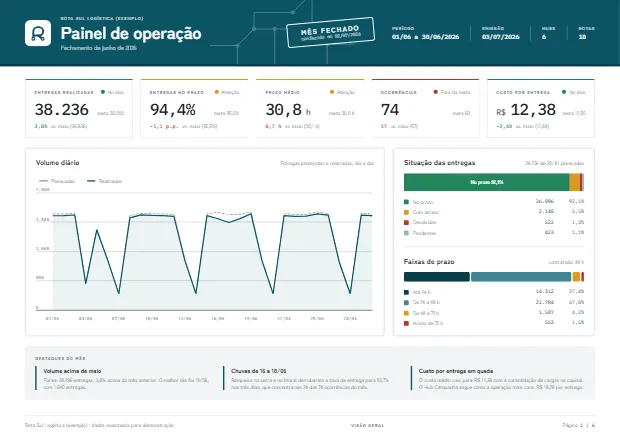
The monthly close of a made-up logistics company on landscape A4: KPIs, charts by hub and a 74-row incident log, in a theme of its own.
6 pages
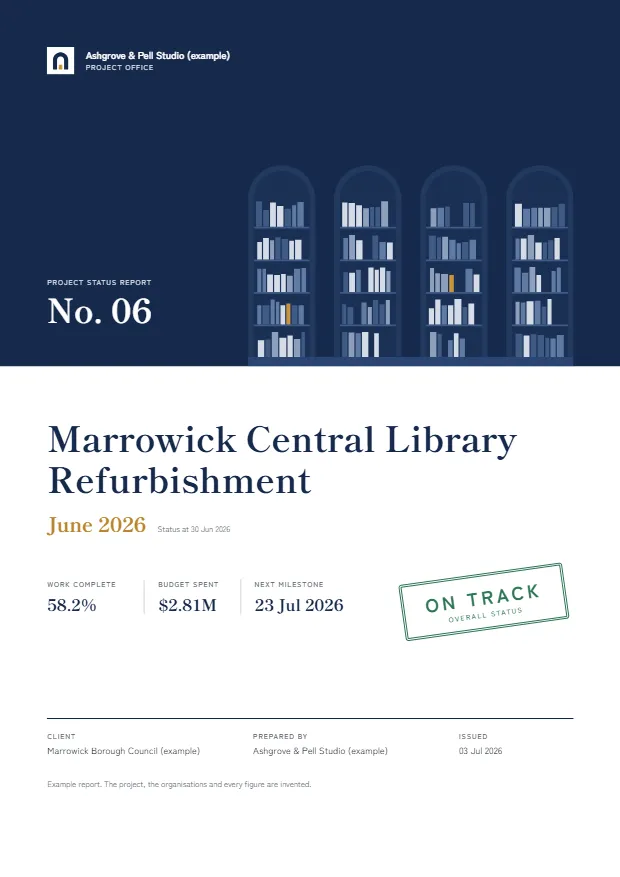
A status report for a made-up building project, written in English: dates, amounts and numbers follow the document's language, in an editorial theme of its own.
7 pages